
How to Clear a Clogged TIJ Cartridge
A clogged TIJ cartridge usually shows up as missing dots, faded text or a TIJ cartridge not printing at all after a pause. Start with gentle TIJ nozzle cleaning: wipe the nozzle plate with a soft paper towel, confirm the cartridge is capped between jobs, and print a test pattern before you replace the unit. Never scrape the nozzles or invent a refill method.
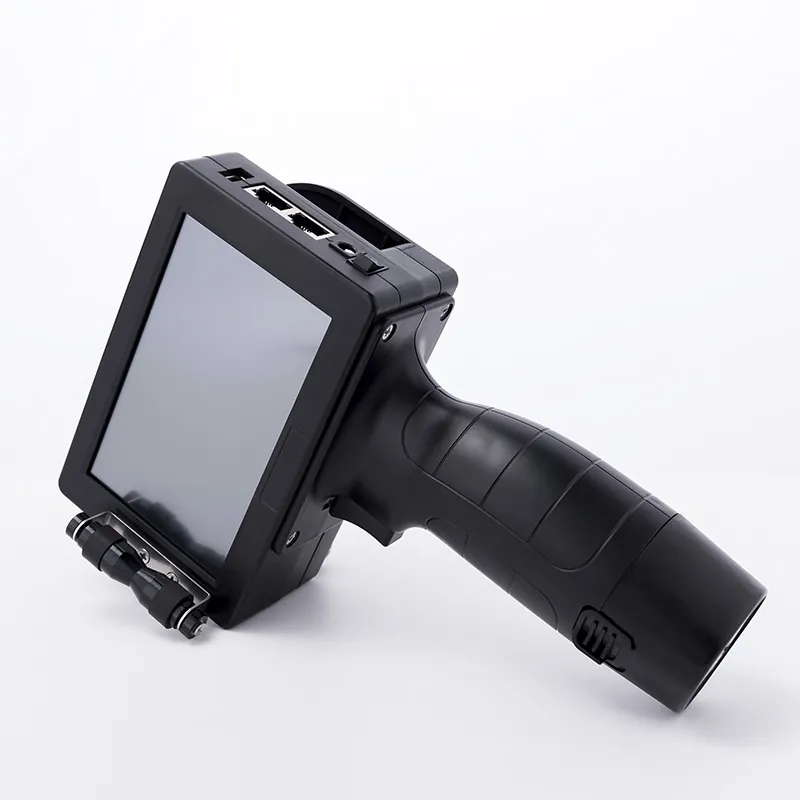
This operator guide from Shenzhen Mufeng Technology Limited Company explains why a clogged TIJ cartridge happens, how water-based and solvent cartridges differ, a safe step-by-step way to clear a TIJ printhead, and when it is time to install a new cartridge instead of cleaning again.
What a clogged TIJ cartridge looks like
A clogged TIJ cartridge is a thermal inkjet cartridge whose nozzles no longer fire a clean, even swath. Because the ink and the printhead live in the same cartridge, dried ink at the nozzle plate is the most common cause — especially with fast-drying solvent ink left open during a break.
Typical symptoms of a TIJ cartridge not printing correctly include blank lines in the code, light or broken characters, one side of the print height missing, or no print after the cartridge is seated. These faults are different from a wrong ink type (for example water-based ink on non-porous plastic), which smears rather than leaves dry gaps.
Why TIJ nozzles clog
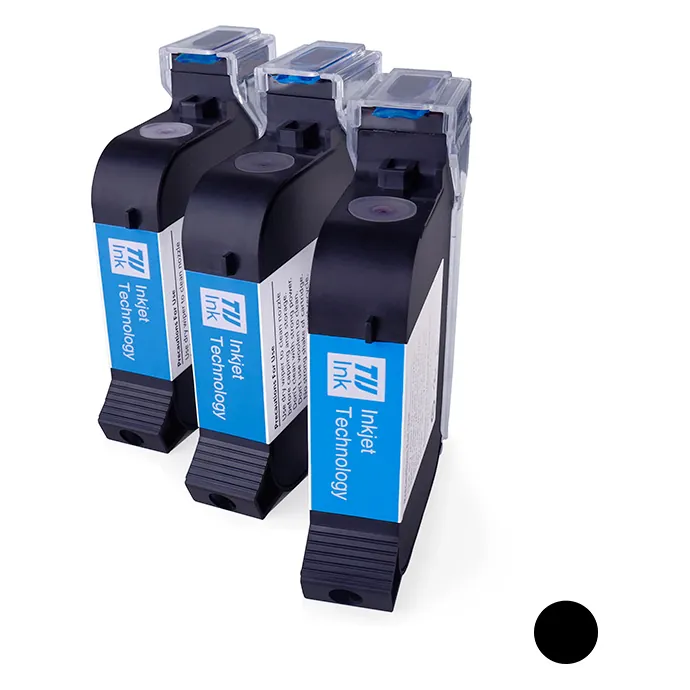
TIJ cartridges hold both ink and nozzles. Air, heat and an open nozzle plate let solvent evaporate or water-based ink dry at the orifice. MufengTech TIJ cartridges typically hold 42ml. Black solvent quick-drying models such as MFK708, MFK709 and MFK706 are designed to dry on the product in about 3 to 5 seconds, so they also dry quickly at an uncapped nozzle. Water-based models such as MFK120, MFK125 and MFK121 dry more slowly but still need a cap when idle.
Other causes of weak print include a large print distance (many handheld and online TIJ models work best at about 1 to 2mm), dirty electrical contacts, a loosely seated cartridge, or a cartridge that has already reached the end of its useful ink.
Water-based vs solvent: cleaning comparison
| Point | Water-based TIJ cartridge | Solvent quick-drying TIJ cartridge |
|---|---|---|
| Best surfaces | Cartons, paper bags, absorbent paper, untreated wood | Film, plastic, metal, glass, coated packaging |
| Clog risk when idle | Moderate if left open in dry air | High — ink is made to dry in seconds |
| First cleaning step | Wipe nozzle gently with soft paper towel | Wipe nozzle gently with soft paper towel; never scrape |
| Cap when pausing? | Yes | Yes — close the protective cap promptly |
| Listed warranty (MufengTech models) | 12 months (MFK120, MFK125, MFK121) | 9 months (MFK708, MFK709, MFK706) |
| Volume / print height | 42ml / 12.7mm | 42ml / 12.7mm or 25.4mm (MFK706) |
How to clear a TIJ printhead: 7 safe steps
- Stop and cap. Pause the line, remove or park the cartridge as your coder allows, and put the protective cap on if you are not wiping immediately.
- Inspect the nozzle plate. Look for dried ink, dust or product splash. Do not touch the nozzles with metal tools, knives or abrasive pads.
- Wipe once, gently. For TIJ nozzle cleaning, wipe the nozzle plate in one direction with a clean, soft paper towel. Soft lint-free cloth is fine if it does not shed fibres onto the nozzles.
- Reseat the cartridge. Clean the electrical contacts if they look dusty, then install the cartridge firmly so the contacts seat cleanly in handheld units such as the MF-G100 handheld inkjet machine or an online coder such as the MFT110M thermal printing machine.
- Check print distance. Bring the head back to the listed gap for your model (often about 1 to 2mm). A large gap looks like a clogged TIJ cartridge but is really a setup fault.
- Print a test pattern. Run a date, batch or solid-block test. If missing nozzles recover after one or two wipes and a short purge print, return to production.
- Replace if still blank. If the same nozzles stay dead after gentle cleaning, or ink is exhausted, install a fresh cartridge. Do not drill, top up or soak an industrial sealed cartridge.
When a TIJ cartridge is not printing after cleaning
If a TIJ cartridge not printing still fails after wiping and reseating, check three non-clog causes before you order more stock:
- Wrong ink for the surface. Water-based ink on film or plastic will not absorb; switch to a Schnelltrocknende schwarze TIJ-Lösemittelpatrone. Solvent ink on absorbent cartons may look different from water-based results — match ink to material.
- Line speed vs resolution. On models such as the MFT110M, listed speed falls from 406m/min at 90DPI to about 60m/min at 600DPI. Too much resolution at high conveyor speed can thin the code.
- Empty or end-of-life cartridge. Cartridges with a contactless RFID chip let some printers show remaining ink. When quality does not recover, replace the cartridge rather than forcing more cleaning cycles.
Browse water-based options on our Wasserbasierte TIJ-Tintenpatrone page when you code porous packs.
Daily habits that prevent a clogged TIJ cartridge
- Cap the cartridge on every pause, even short breaks.
- Store unopened cartridges sealed, upright, cool and dry; use older stock first.
- Open only the cartridges the shift will use.
- Keep nozzle plates from rubbing against other parts in a toolbox.
- Wipe gently when dusty — never scrape to clear a TIJ printhead.
- Test-print after any long stop before releasing the full run.
Need HP45-style 12.7mm water-based cartridges for porous coding? See our sister site hp45cartridge.com. For fast curved bottles where TIJ distance is too short, a continuous inkjet printer may fit better — see cijinkjet.com.
FAQ: How to clear a clogged TIJ cartridge
How do I clear a clogged TIJ cartridge safely?
Wipe the nozzle plate gently with a soft paper towel, reseat the cartridge, check print distance, and run a test print. Never scrape the nozzles or open the cartridge to refill it.
What is the best TIJ nozzle cleaning method?
One gentle wipe with soft paper in a single direction is the standard first step. Repeat once if needed, then replace the cartridge if the same nozzles stay dead.
Why is my TIJ cartridge not printing after a break?
Fast-drying solvent ink often dries at an open nozzle. Cap the cartridge whenever you pause, wipe gently, and test again before you change other settings.
Can I soak or flush a TIJ printhead with solvent?
Do not invent soak or flush methods for a sealed industrial cartridge. Follow wipe-and-replace practice; soaking can damage nozzles and contacts.
How do I get a cartridge recommendation?
Contact Shenzhen Mufeng Technology Limited Company on WhatsApp +86 158 1405 1051 with your surface material, coder model and a photo of the failed print.
Written by the team at Shenzhen Mufeng Technology Limited Company. WhatsApp: +86 158 1405 1051